

Connect WhatsApp to ChatGPT
Add the WhatSync app to ChatGPT, link your WhatsApp with a QR code, and ask ChatGPT about your chats. It takes about 5 minutes and your WhatsApp keeps working as normal.
Watch the setup
The whole setup in 4 minutes, from adding WhatSync in ChatGPT to asking about your chats. The steps below are the same, written out.
Connect WhatsApp to ChatGPT in 5 minutes
Add WhatSync in ChatGPT, link WhatsApp, and ask about your chats.
Open on YouTubeWhat you can do
Once it is connected, you talk to ChatGPT about your WhatsApp the same way you talk to it about anything else.
See who is waiting on you
“Who messaged me on WhatsApp today and is still waiting for a reply?”
Catch up on a busy group
“Summarise what the site team group talked about this week.”
Find an old message
“Find the message where Rahul sent his address.”
Write a reply
“Draft a polite reply to the last message from the supplier.”
Step 1: Add WhatSync to ChatGPT
WhatSync is an app in ChatGPT. You add it once and it stays connected.
- Click Add to ChatGPT below. The WhatSync app opens in ChatGPT. Click to connect it.
- Sign in to WhatSync with Google or your email. New to WhatSync? Signing in creates your account.
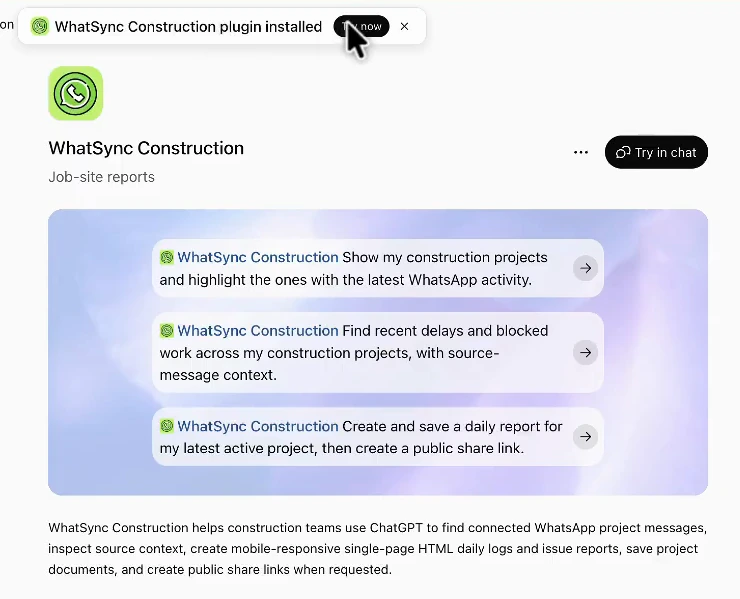
- You come back to ChatGPT and it says the app is installed. Click Try now.
Step 2: Link your WhatsApp
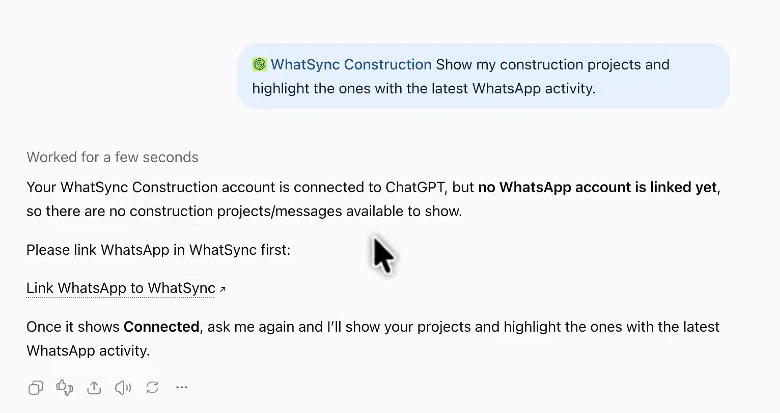
ChatGPT is now connected to your WhatSync account, but your WhatsApp is not linked yet. Ask ChatGPT anything about your WhatsApp and it gives you a link that signs you straight into your dashboard. The link works for 15 minutes.
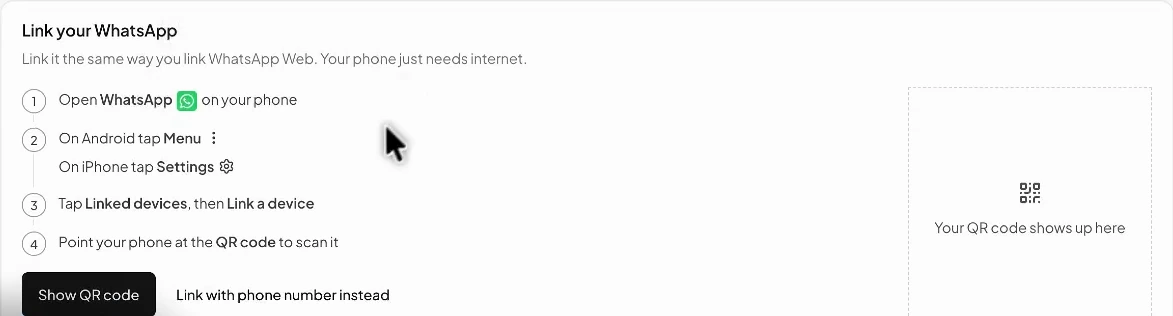
Linking uses WhatsApp's Linked devices, the same way WhatsApp Web works. Nothing to install and no password to share. In the dashboard, click Show QR code, then:
- On your phone, open WhatsApp. On iPhone go to Settings. On Android tap the three dots at the top.
- Tap Linked devices, then Link a device.
- Point your phone at the QR code on your screen.
Step 3: Choose what ChatGPT can see
ChatGPT only sees what WhatSync saves, and you decide what that is.
- Open your dashboard.
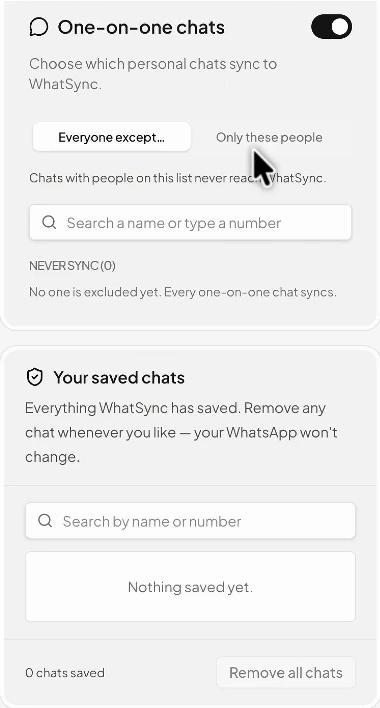
- For one-on-one chats, pick Everyone except to keep certain people out, or Only these people to save only the people you add.
- Turn on the groups you want ChatGPT to see. Groups are off until you pick them.
- Under Your saved chats, remove any chat you want gone from WhatSync. Your WhatsApp does not change.
Step 4: Send yourself a test message
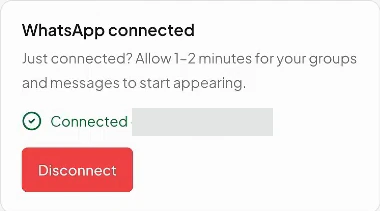
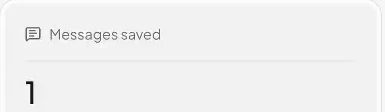
Only messages that arrive after you link are saved, so right after linking there is nothing for ChatGPT to find yet. Send yourself a message on WhatsApp. When Messages saved in your dashboard goes up, it is working.
Step 5: Ask ChatGPT
Go back to ChatGPT and ask about your WhatsApp. In the same chat as before, “Can you try again?” is enough. In a new chat, ask the full question. If ChatGPT does not use WhatSync on its own, mention it by name, for example “Use WhatSync to…”.
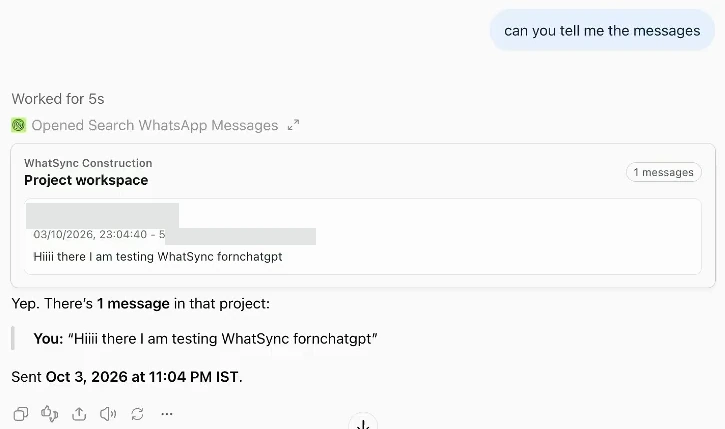
“Use WhatSync to show me the chats I haven't replied to.”
“What did the landlord say about the rent this month?”
“List every chat where someone asked about the price.”
Saving and sharing
Ask ChatGPT to save a summary, a list of decisions, or a site report from your chats. It is saved in your WhatSync dashboard. Ask for a share link when you want to send it to someone.
If something goes wrong
- ChatGPT says no WhatsApp is linked yet
- WhatSync is connected to ChatGPT, but you have not linked WhatsApp yet. Click the link ChatGPT shows you, which signs you into your dashboard, and link WhatsApp there. The link works for 15 minutes. If it expired, ask ChatGPT again for a new one.
- WhatsApp is connected but nothing is saved
- Give it a minute or two. Check that the chat is allowed in step 3, then send yourself a new message on WhatsApp. Only messages that arrive after you link are saved.
- The dashboard has the message but ChatGPT doesn't
- Ask again in the same chat, or start a new chat and ask the full question. If ChatGPT does not use WhatSync on its own, mention it by name.
- The QR code expired
- QR codes only last a short time. Click Show QR code again and scan it straight away. You can also link with your phone number and a code instead.
- It worked before and now it doesn't
- Open WhatsApp on your phone, go to Linked devices, and check that WhatSync is still there. WhatsApp can log out linked devices if your phone has been offline for a long time. If it is gone, link it again from your dashboard.
Questions
- Is this the same as 1-800-ChatGPT on WhatsApp?
- No. 1-800-ChatGPT was OpenAI's own contact that you messaged inside WhatsApp. OpenAI said it would stop working on WhatsApp after January 15, 2026, and its help page now says it is available again only in the European Economic Area. WhatSync works the other way round: it brings your WhatsApp chats into ChatGPT, so you can ask about them where you already use ChatGPT.
- Is WhatSync made by OpenAI or WhatsApp?
- No. WhatSync is made by Appstronauts. It is an app you add to ChatGPT. It is not made by, affiliated with, or endorsed by OpenAI, WhatsApp, or Meta.
- Can ChatGPT read all my WhatsApp chats?
- ChatGPT can only see what WhatSync saves, and you choose that. On Plus and Pro, WhatSync saves your one-to-one chats and all your groups; you can turn off any single group and keep one-to-one chats with certain people out. The free trial covers one-to-one chats only. You can change this at any time in your dashboard.
- Does my WhatsApp keep working as normal?
- Yes. WhatSync links as a device, the same way WhatsApp Web does. Your phone works as before.
- Can ChatGPT send WhatsApp messages for me?
- No. ChatGPT can read your saved chats and write a reply for you, but it does not send anything. Copy the reply and send it from WhatsApp yourself.
- Does it work with the WhatsApp Business app?
- Yes. The QR code works with the normal WhatsApp app and the WhatsApp Business app.
- Will ChatGPT see my old messages?
- Linking does not delete anything on your phone. New messages are saved after you link, so ChatGPT works with messages from that point on.
- Can ChatGPT see photos and voice notes?
- On every plan, ChatGPT can read the text inside PDFs, Word and Excel files. On WhatSync Pro it also reads every voice note (in any language), the words in photos and what they show, and scanned documents and receipts. On other plans it sees that a photo or voice note was sent, with its caption and file name.
- How do I disconnect?
- Click Disconnect in your WhatSync dashboard, or open WhatsApp on your phone, go to Linked devices, and log out of WhatSync. You can also remove the WhatSync app from your apps in ChatGPT's settings.
- Can I use this with Claude too?
- Yes. The same WhatSync account works in Claude, Codex and other AI apps. See the setup guide for other AI apps.
- How much does it cost?
- See the pricing page for the current plans.
Still stuck?
Tell us what happened and we will help you get connected.